A finished job fires the mail.
Mail that follows your trucks. A deal closes in your CRM, and the fifty homes around it get your card while the crew is still on the street.
SET IT ONCE
Connect the CRM once. The events do the rest.
01
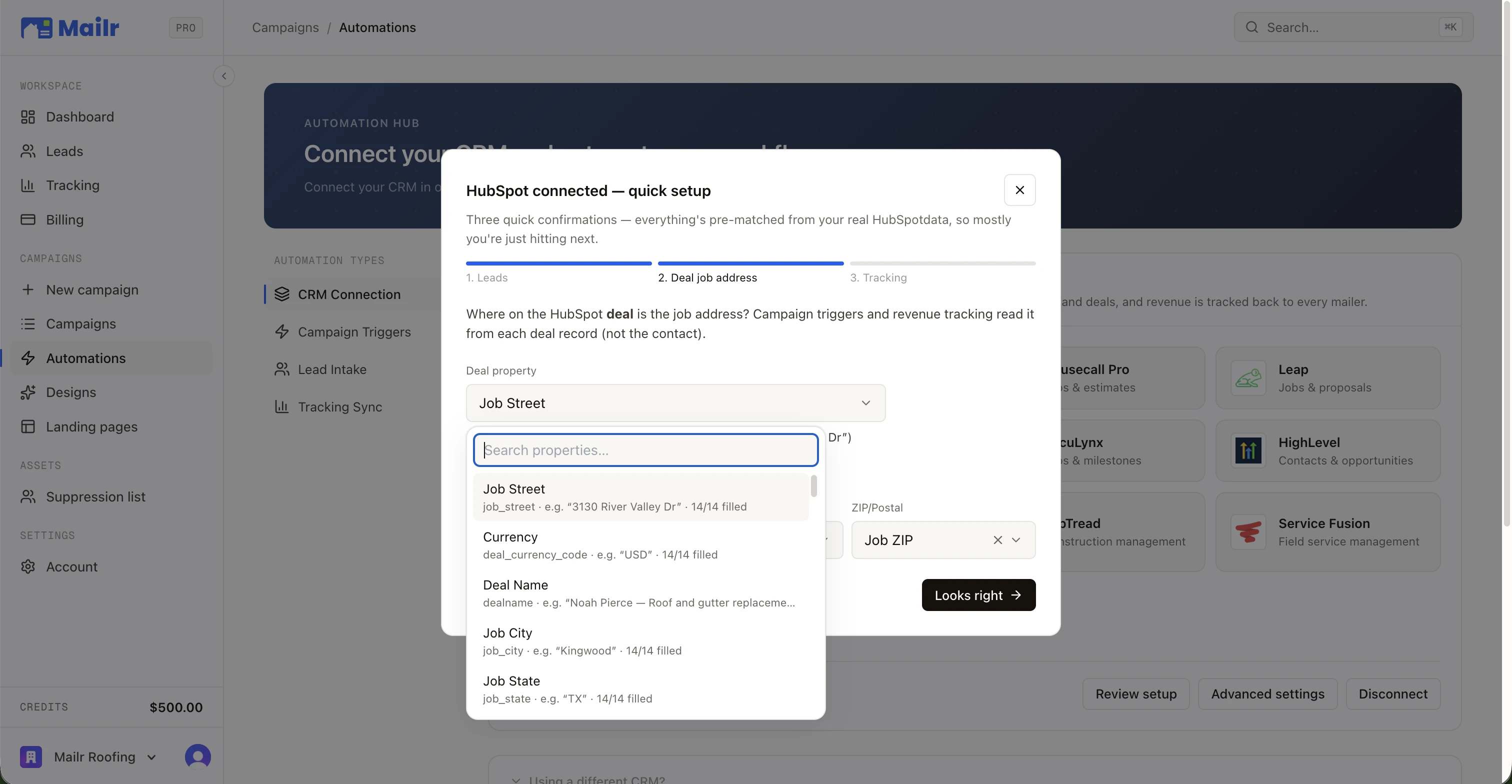
Connect the CRM
Connect in a few clicks. From then on, Mailr hears about your jobs the moment the CRM does.
02
Bind the event
Pick the moment that means something: a deal reaching Closed Won, a job completed, a quote approved. Filter against any value in your CRM, like job value or type.
03
Set the radius and the card
Neighbors per install, property filters, card type, template, landing page, follow-up drops. Save it and it runs.
ANATOMY OF A TRIGGER
Set the rule once. Every job after it runs it.
A trigger, a filter, and the mail it sends. This is the one most contractors set first: a won deal over a threshold mails the street.
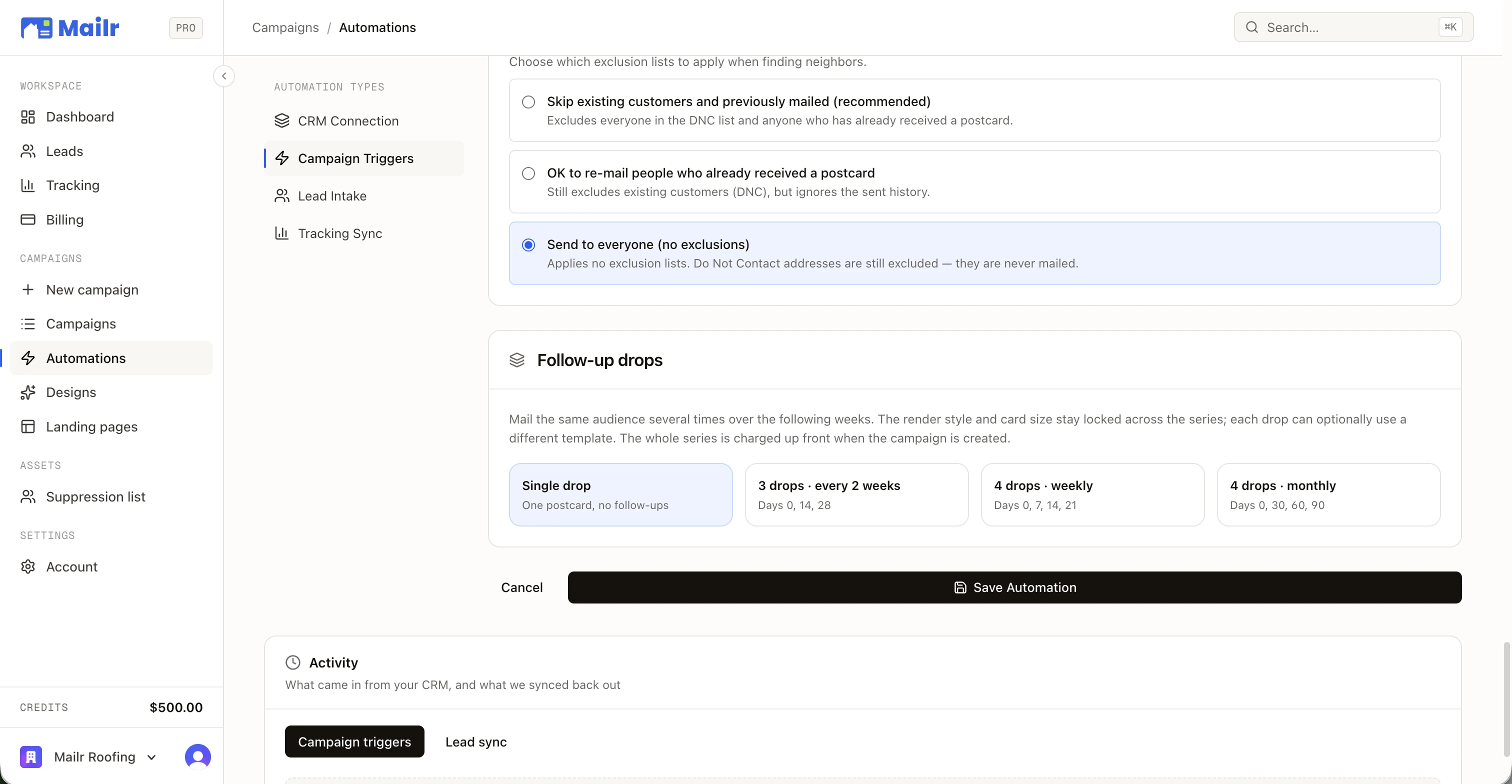
- Neighbors per install, 10 to 500
- Same property filters as any campaign
- Reviewed in the approval queue
- TRIGGER
A deal reaches Closed Won in the Sales Pipeline
HubSpot · checked hourly - FILTER
Amount is at least 15,000
One of up to ten rules - MAIL
Mail the 50 nearest homes around the job address
Home Render · your template · 3 drops
TRIGGER EVENTS
More than sixty events, straight from your CRM.
Each connection lists the moments your CRM actually emits. Pick the one that means something in your business and bind the mail to it.
- Deal reaches Closed Won
- Job completed
- Job approved (sold)
- Quote approved
- Estimate approved
- Invoice paid
- Project completed
- Opportunity marked Won
- Job reaches a status
- Customer created
- Contact gets a tag
- Job scheduled
- + more per CRM
HOW THE EVENT REACHES US
Instant, where the CRM has webhooks
Housecall Pro, HubSpot, Leap, ProLine, AccuLynx, GoHighLevel, PaintScout, and JobTread push the event the moment it happens.
An hourly sweep, everywhere
Every connection is re-checked on the hour, so nothing sits waiting on a webhook that never came. Some CRMs run on the sweep alone.
Deduped
A job that arrives both ways fires once. Nothing missed, nothing doubled.
THE AUTOMATION HUB
Twelve CRMs, one connection each.
CRM connection, campaign triggers, lead intake, and tracking sync live in one place. Connect once and every trigger, lead, and closed deal flows through it.
Native trigger events, plus Zapier and inbound webhooks for anything else.
WHERE THE EVENT COMES FROMPer trigger: equals, contains, at least, at most, is filled, is empty, and more, all of them must match.
ONLY SEND WHENNeighbors per install by default, from ten to five hundred, filtered by property facts.
WHO GETS ITAROUND EVERY TRIGGER
The list keeps itself honest.
A won deal adds that customer to your suppression list. You never pay to advertise to someone you already closed.
Landing-page leads write into the same CRM at capture time, source-labelled Mailr, so the loop closes where you already work.
The hard list is honoured on every triggered campaign, and future-dated drops for an address added mid-series are cancelled and refunded.
WHY IT COMPOUNDS
The same ad dollar, multiplied.
A PPC lead, a yard sign, a wrapped truck, and a card on fifty doors. The neighborhood sees your crew and your card in the same week, and the deal that follows is credited back to the mail.

A full hand,
right out of the box.
Jobs flow in. Campaigns fire out. Mailr connects to the tech you already run in just a few simple clicks.
See all integrations


QUESTIONS
The questions everybody asks.
- Which events can fire a campaign?
- Each CRM's own moments: a HubSpot deal reaching Closed Won, a Housecall Pro job completed or paid, a Leap job won, a JobNimbus estimate approved, a PaintScout quote accepted, a ProLine project won, and more than sixty others across the twelve. Pick one per trigger and add filters if you like.
- How fast does it fire?
- Instantly where the CRM supports webhooks, and within the hour everywhere else: every connection is swept hourly, so a missed webhook never costs you a campaign. JobNimbus, RoofLink, Builder Prime, and Service Fusion run on the sweep.
- Can I limit it to certain jobs?
- Yes. Up to ten rules per trigger on the CRM's own fields, such as amount is at least 15,000, city equals Austin, or status contains Roof, and every rule must match before a card goes out.
- Who gets the card?
- The nearest homes around the job address: fifty by default, ten to five hundred, narrowed by the same property filters as any campaign and by your who-to-mail mode. The job address itself is never mailed.
- Does a triggered campaign still get reviewed?
- Yes. Triggered campaigns land in the approval queue with their recipient count and estimated cost, and go through the same approval as a campaign you built by hand.
- My CRM isn't listed. Can I still trigger mail?
- Through Zapier, with a Deal Won / Job Completed trigger and a custom campaign trigger for any event Zapier can see, or by posting to an inbound webhook.

Their Home.
Your Work.
Connect your CRM, pick a neighborhood, and put a 1-of-1 card in every mailbox that matters. First campaign out the door in an afternoon.
No subscriptions · No minimum order size