Their roof. Already replaced.
Storm, retail, or restoration: every card shows the homeowner their own house with the new roof on it, and lands before the storm chasers knock.
HOW A RENDER HAPPENS
Three steps between a street and a mailbox.
01
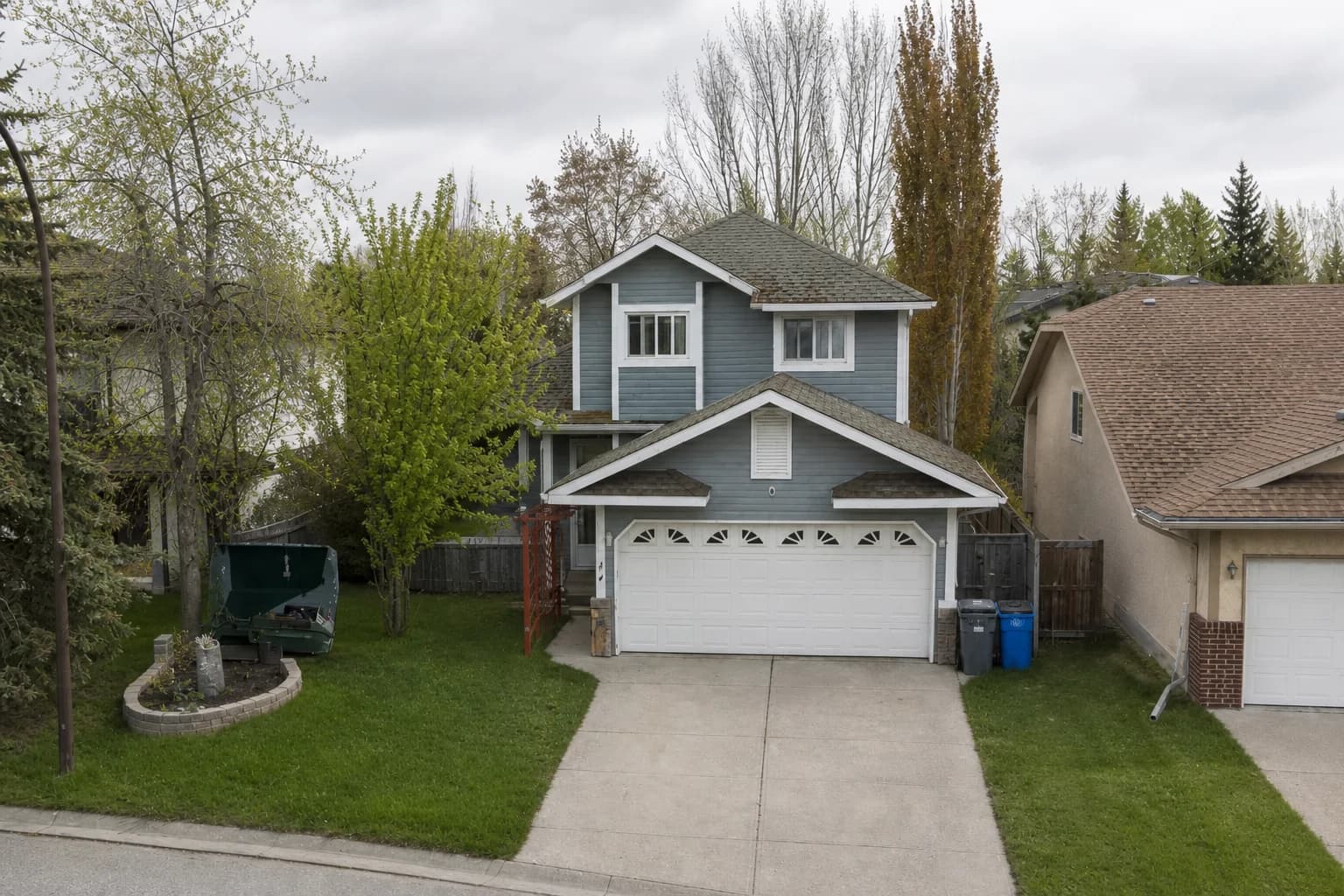
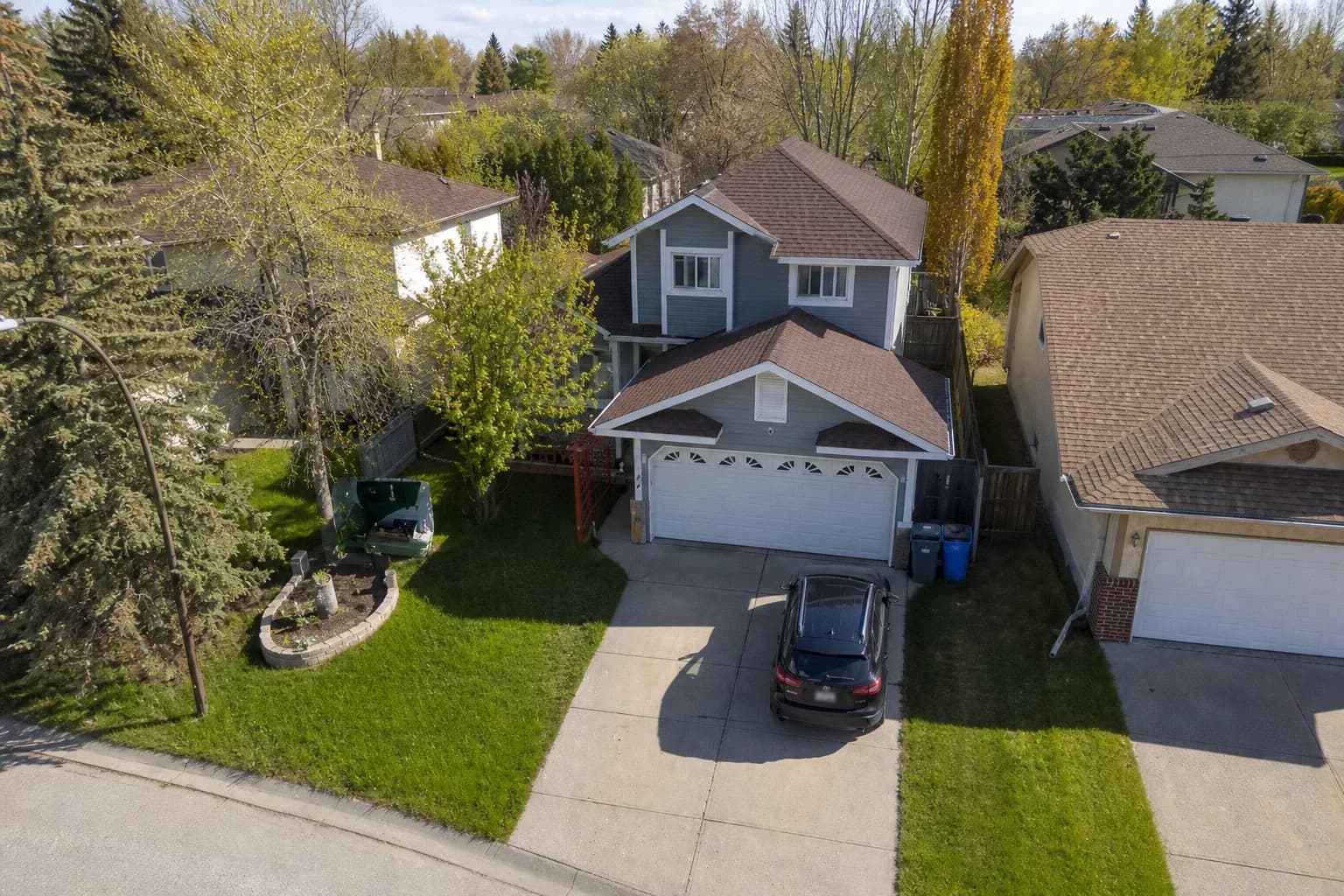
An image of their home
Multiple angles of each home from publicly available imagery. We select the clearest front-of-house shot.
02
Their roof, replaced
The roof in your quote rendered onto their actual house: shingle or standing-seam metal, in the finish that reads on a postcard.
03
Into their mailbox
Printed and mailed with a QR code unique to that house, which opens a page with their own rendering on it and a free-inspection form.
RENDER STYLES
Rendered in the style you actually sell.
The roof on the card is the roof in your quote. Pick the finish when you build the campaign and every render in it follows.
Roofing
- BeforeThe house as it was shot
- StandardDEFAULTNatural drone photo, new shingles
- After RainWet sheen on the new roof
- MetalStanding-seam, matte finish
Drone, and more styles on request
These are the exact previews the campaign builder shows when you pick a style: one house, three finishes, and the house before.
THE ARTIFACT
A real card in their actual mailbox.
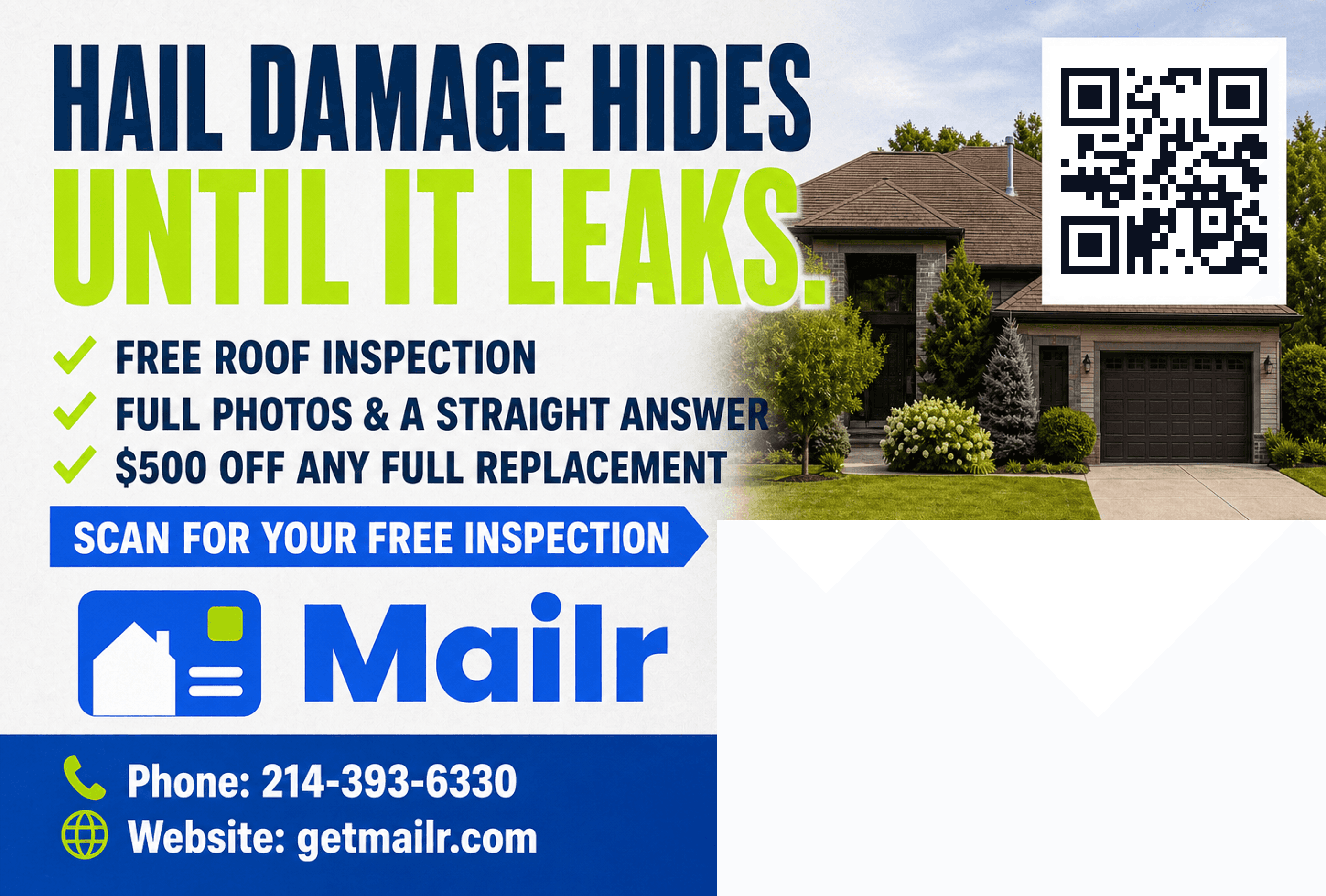
The render lands on a 6×9 card that gets printed, addressed, and dropped in the mail, with a QR code unique to that house on the back.
- Their own house on the front
- A QR unique to that home
- Printing, postage, and delivery included

BUILT FOR THE TRADE
Built for how roofing sells.
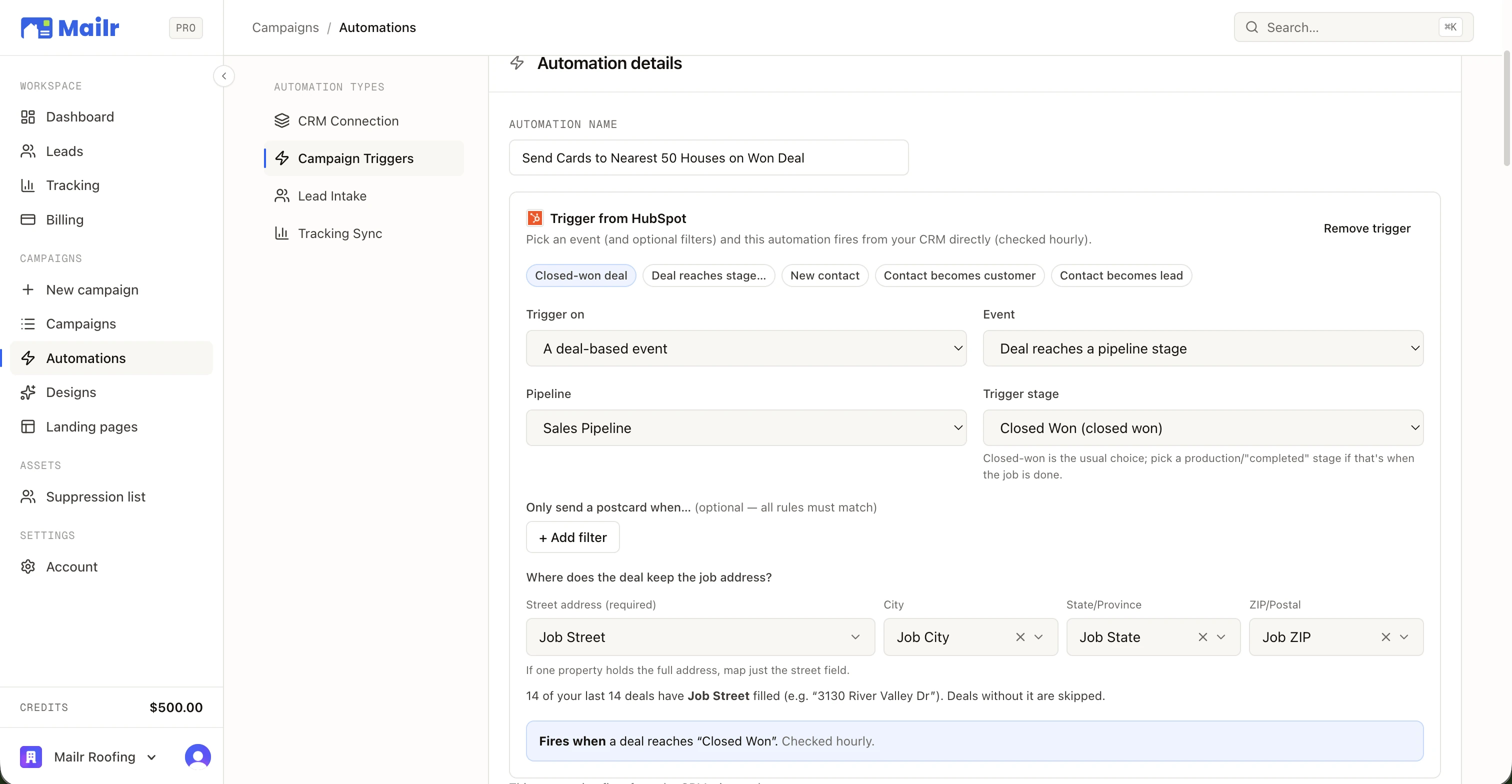
Storm-season templates, a landing page that shows their roof transformed, and triggers that fire when a job closes in the CRM you already run.

PROVEN TEMPLATES
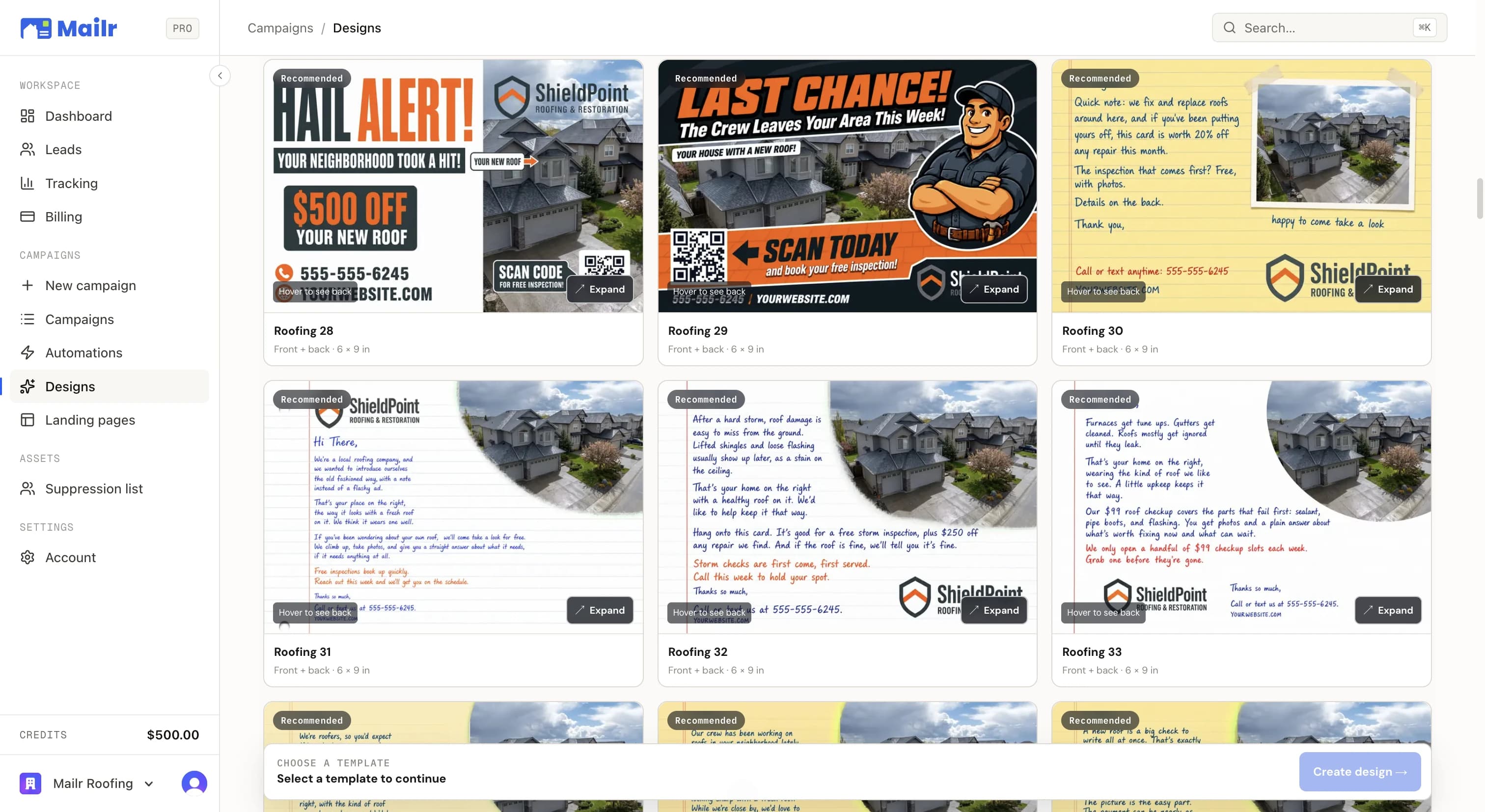
Start from a proven design, apply your brand and offer in seconds.


INTEGRATIONS
The CRMs roofing shops run on.
Native connections: an OAuth popup or an API key, then triggers, lead delivery, and revenue sync run on their own. All twelve integrations





QUESTIONS
The questions roofing shops ask.
- Does the render match the roof I'm quoting?
- Pick the style when you build the campaign and every card follows it. Standard is new architectural shingle from a natural drone angle, After Rain is the same roof with a wet sheen, and Metal is charcoal standing-seam in a matte finish. Drone and other styles are available on request.
- How do I mail a neighborhood the storm just hit?
- Circle it on the map. Draw a polygon or a radius, filter the homes inside by property facts like year built, assessed value, or dwelling type, and approve. Cards go to print as soon as the campaign launches, each one showing that house with a new roof.
- What happens when a homeowner scans the card?
- The QR opens a page built for their address: the rendering of their roof, your reviews, your license and brand, and a short free-inspection form. Submissions write into your CRM instantly, source-labeled Mailr, and the scan is logged against the campaign.
- Can I mail one fixed design instead of a render?
- Yes. Classic Postcards put your approved front on every card, with the same neighborhood targeting, automations, follow-up, and per-home QR tracking, at $0.15 less per card. The library's fixed roofing fronts (an estimate, a hail alert, a handwritten note) are ready to run, or upload artwork you already have.
- Does Mailr cover my area?
- Coverage is nationwide: property and assessment records for 74.6 million homes across all 50 states. Draw the area and the builder shows the count, the price, and which of the six property filters have data there.
- Which roofing CRMs connect?
- AccuLynx, JobNimbus, RoofLink, Leap, JobTread, and ProLine natively, plus HubSpot, Housecall Pro, GoHighLevel, and others. Connection is an OAuth popup or an API key. No CRM? A CSV of past jobs works too.
Their Home.
Your Work.
Connect your CRM, pick a neighborhood, and put a 1-of-1 card in every mailbox that matters. First campaign out the door in an afternoon.
No subscriptions · No minimum order size