A full hand,
right out of the box.
Jobs flow in. Campaigns fire out. Mailr connects to the tech you already run in just a few simple clicks.


NATIVE INTEGRATIONS
12 CRMs, CallRail, and Zapier. Yours is here, and it’s deep.
Every CRM below gets the same four things — trigger events, Reactivation imports, lead delivery, and auto suppression — plus revenue synced back for attribution. Pick yours for the details.
 HubSpotDeals & contactsOAuthInstant
 Housecall ProJobs & estimatesAPI keyInstant
 JobNimbusJobs & estimatesAPI keyHourly
 AccuLynxJobs & milestonesAPI keyInstant
 GoHighLevelContacts & opportunitiesOAuthInstant
 LeapJobs & proposalsaccess tokenInstant
 ProLineProjects & quoteswebhooks + Web LeadsInstant
 RoofLinkJobs & estimatesAPI keyHourly
 PaintScoutPainting estimates & CRMAPI keyInstant
 Builder PrimeHome-improvement sales CRMAPI keyHourly
 JobTreadConstruction managementgrant keyInstant
 Service FusionField service managementClient ID + Client SecretHourly
 CallRailCall trackingAPI keyCalls → leads → revenue
 ZapierEverything elseAPI keyInstant lead trigger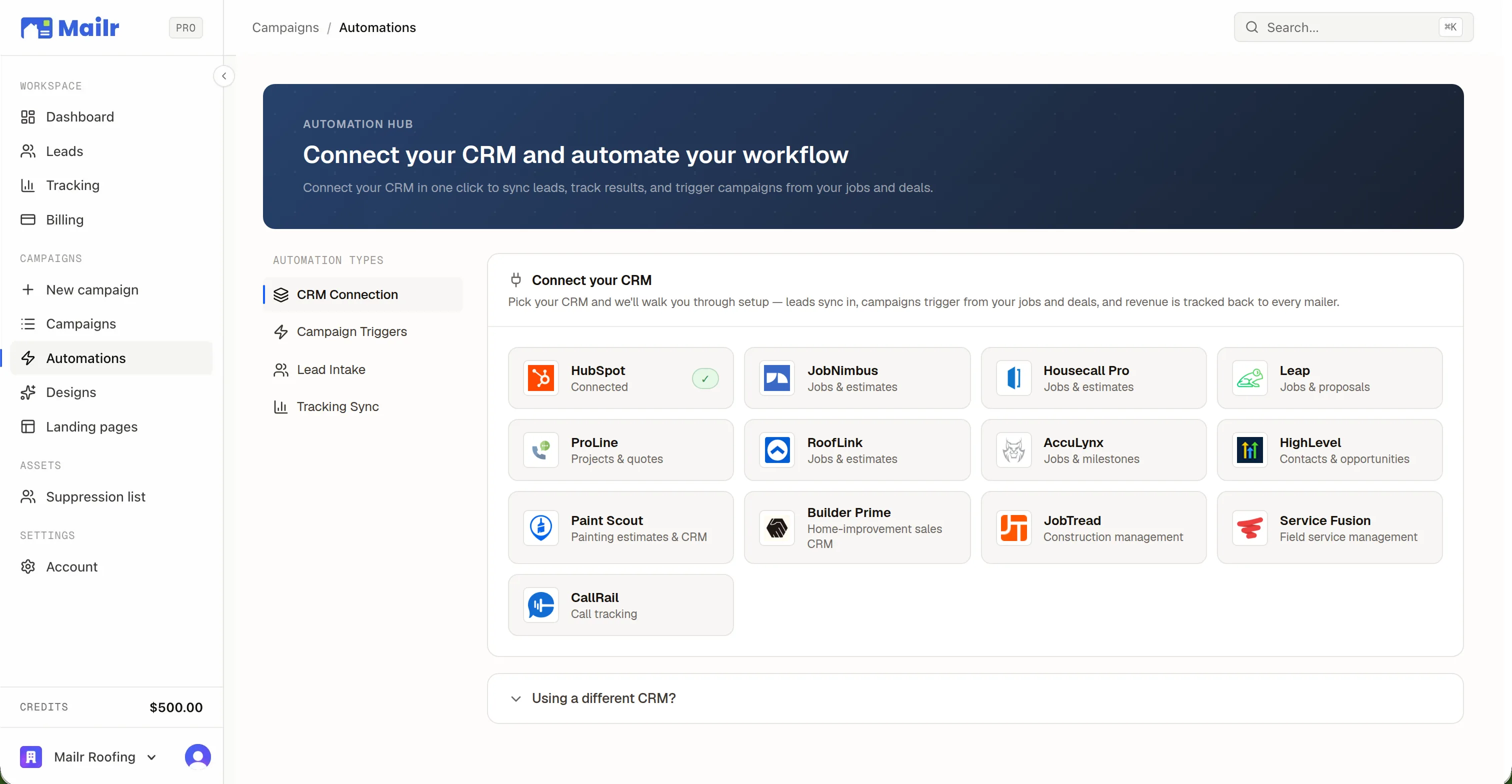
WHAT “INTEGRATED” MEANS HERE
Deep, not decorative. Eight things run on every connection.
Most “integrations” are a logo on a page and a Zap you build yourself. These are built into the product: the same engine behind every CRM, speaking that CRM’s own vocabulary.
An OAuth popup for HubSpot and GoHighLevel; a pasted key for the rest, validated live against your account before it saves.
Three steps — leads, job address, tracking — each pre-matched from your own CRM and shown with real field samples. You confirm; you never configure.
Job completed, estimate approved, deal won, stage changed, contact created, tag added — every event takes custom-field filters like “only jobs over $15k.”
Two sources per CRM: your finished work (jobs, deals, projects, quotes) and your whole book of contacts. Filter by status, pipeline, or date; mail the neighbors, or the list itself.
Landing-page leads write into your CRM at capture time — source-labeled “Mailr”, deduped by email, auto-retried on failure, overflow fields landing in a note.
The moment a job is sold in your CRM — closed-won, estimate approved, quote accepted — that customer leaves future mailing audiences. Do-Not-Mail is honored everywhere.
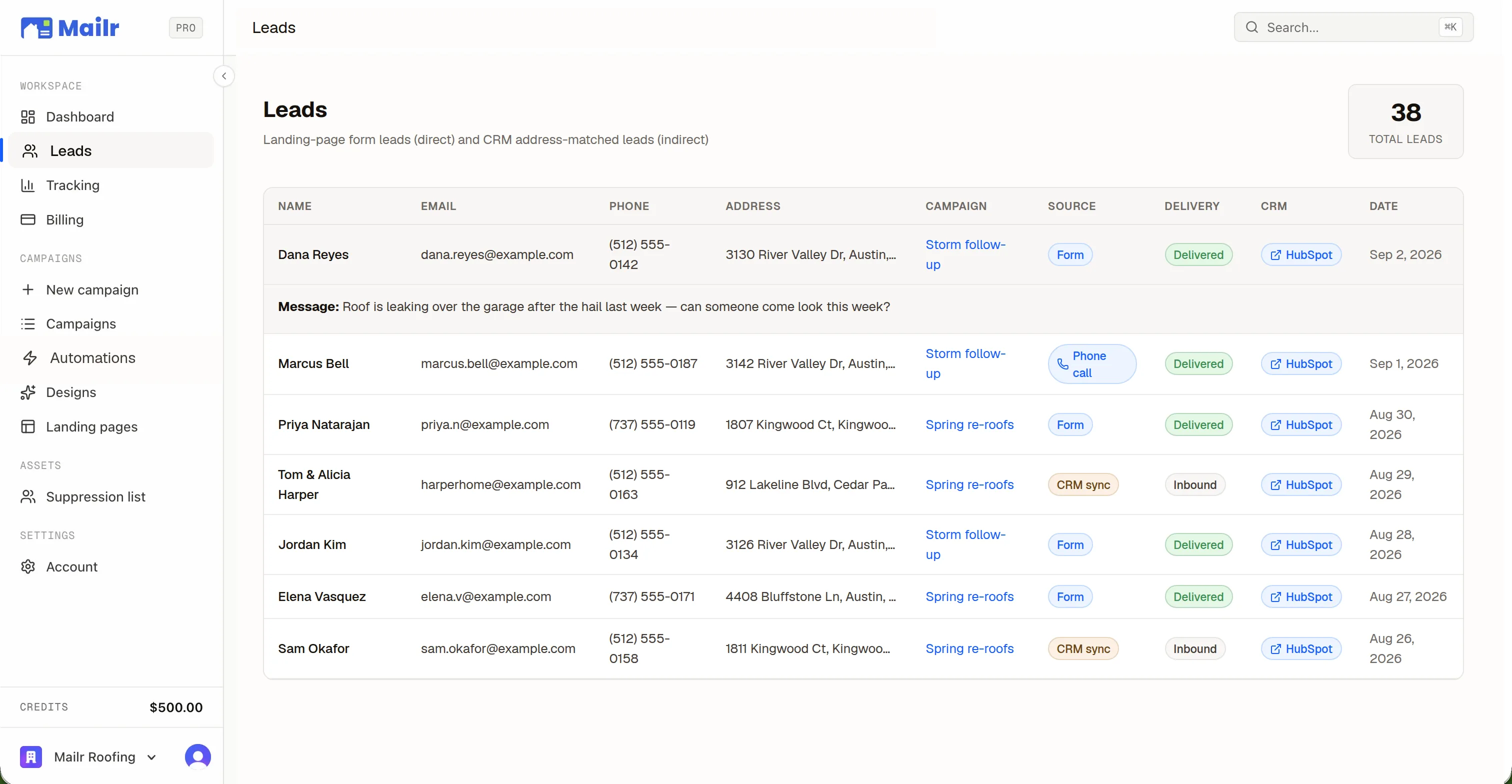
Sold jobs are geocoded and matched to the exact mailed home, so mail gets credit even when nobody scans. Credit goes to the most recent mail to that address inside a 180-day window.
Every lead and deal in Mailr links straight to its record in the CRM — on 10 of the 12 natives.
CADENCE
Instant where the CRM allows it. Hourly everywhere.
8 of 12 CRMs push webhooks to Mailr, so a closed deal can have cards in production within seconds. The other 4 are swept every hour. An hourly sweep backstops every connection and every event is deduped — nothing missed, nothing doubled.
ZAPIER
No native integration? Zapier covers everything else.
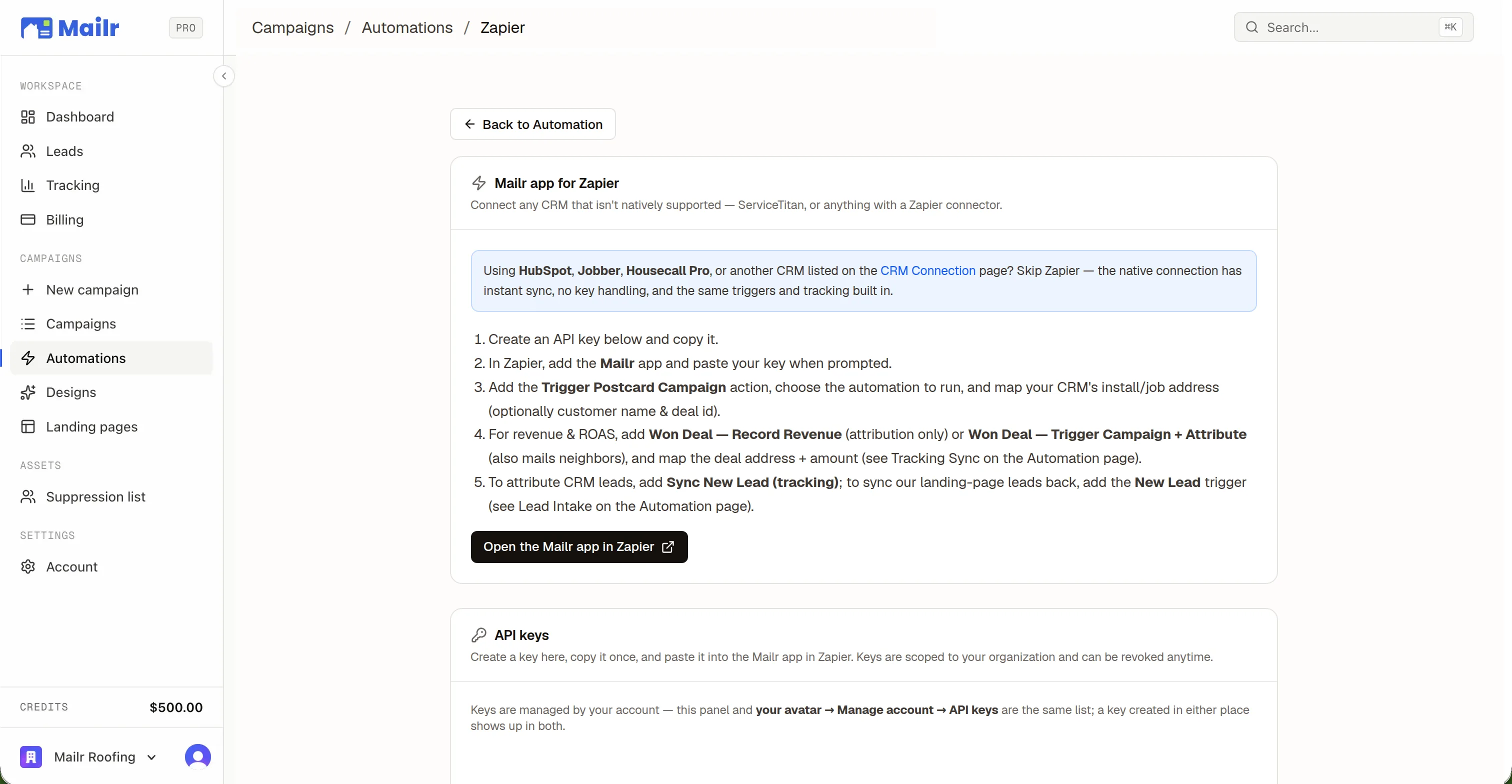
A branded Mailr app on Zapier — install it, paste one API key, pick an automation from a dropdown, map fields. Or skip the app and use the generic Webhooks by Zapier path with any CRM Zapier supports.
Fires the moment a landing-page lead is captured — a REST hook, not polling — with name, phone, email, address, and the campaign that earned it.
Pick one of your Mailr automations from a dropdown and fire it off any Zap — a new row, a form, a tag, a calendar event.
Report a won deal for revenue attribution, and optionally drop a neighbor campaign around it in the same step.
Push leads your CRM captured elsewhere into Mailr, so the ones who Google you still get matched to the mail that made them call.
DEVELOPER API · OPENAPI 3.1
An open API, when you’d rather wire it yourself.
Everything the native integrations do is behind a versioned REST API with a per-organization bearer key. Push events, receive signed lead webhooks, report revenue, stage reactivation imports — no vendor polling, no Zapier in the middle. Ships as an OpenAPI 3.1 spec, with an MCP server for agents.
POST /api/v1/eventsSend eventsPush job, deal, or contact events with your own custom fields. Mailr matches them to the automations you built in the app and mails the neighborhood. Dry-run mode included.
POST /api/v1/webhooks/subscribeReceive leadsSubscribe any endpoint and every captured lead is delivered as an HMAC-signed webhook. Or poll GET /api/v1/integrations/leads.
POST /api/v1/conversionsReport won dealsBook revenue against the mail that earned it. Idempotent on your deal id, so replays never double-count.
POST /api/v1/import/jobsStage past jobsLoad finished jobs or customers straight into a Reactivation campaign — the same path the native imports use.
POST /api/v1/customers/webhookSuppress customersRegister existing customers so they never get a card, and sync leads for indirect attribution with /api/v1/tracking/lead.
POST /api/mcpMCP serverPoint Claude, Cursor, or any MCP client at Mailr and drive every endpoint above by conversation — with a confirm-before-spend safety model.
curl -X POST https://app.getmailr.com/api/v1/events \
  -H "Authorization: Bearer ak_live_…" \
  -H "Content-Type: application/json" \
  -d '{
    "event_type": "job.completed",
    "object_type": "job",
    "dedup_id": "job-8842-completed",
    "record": { "id": "8842", "properties": {
      "street": "3134 River Valley Dr",
      "city": "Austin", "state": "TX", "zip": "78701",
      "client_name": "Dana Reyes",
      "amount": "6400.00",
      "cf_trade": "roofing"
    } }
}'- Bearer key per organization. Scoped to events, imports, or webhooks — created in the dashboard, revoked any time.
- Idempotent by design. Every write takes a dedup id, so replays report a duplicate instead of a second campaign.
- Signed lead webhooks. Verify the X-Mailr-Signature header; rotate the secret from the API.
QUESTIONS
The questions shops ask before they connect.
- What if my CRM isn't on the list?
- Zapier covers it: the Mailr Zapier app has an instant New Lead trigger and actions for firing campaigns, reporting won deals, and syncing leads, and the generic Webhooks by Zapier path works with anything Zapier supports. If you'd rather wire it yourself, the Developer API is an OpenAPI 3.1 spec with a bearer key. And CSV import works with no CRM at all.
- Which CRMs connect with OAuth, and which need a key?
- HubSpot and GoHighLevel connect through an OAuth popup. Everything else takes a credential you copy from the CRM's own settings — an API key, an access token, a grant key — and Mailr validates it live before saving, so a typo can't half-connect.
- What does Mailr write into my CRM?
- Only the leads it captures for you — source-labeled “Mailr”, deduped by email. Everything else is read: job and deal activity powers triggers, Reactivation, and attribution. Disconnecting revokes access on the CRM's side too.
- How fast do triggers fire?
- 8 of the 12 CRMs push webhooks, so events fire within seconds. The rest are swept every hour. Either way an hourly sweep backstops everything and every event is deduped — nothing missed, nothing doubled.

Their Home.
Your Work.
Connect your CRM, pick a neighborhood, and put a 1-of-1 card in every mailbox that matters. First campaign out the door in an afternoon.
No subscriptions · No minimum order size