Direct mail on autopilot for RoofLink.
Paste one RoofLink API key and Mailr goes to work: jobs reaching a status fire postcards into the right neighborhoods, landing-page leads land in RoofLink as jobs, and approved jobs stop that home getting mail.

CONNECTED · API KEY
- Jobs inRoofLink activity fires campaigns automatically
- Mail out1-of-1 cards to the homes that matter
- Leads backCaptured leads write into RoofLink instantly
HOW IT CONNECTS
Three steps, and the first one’s the hardest.
01
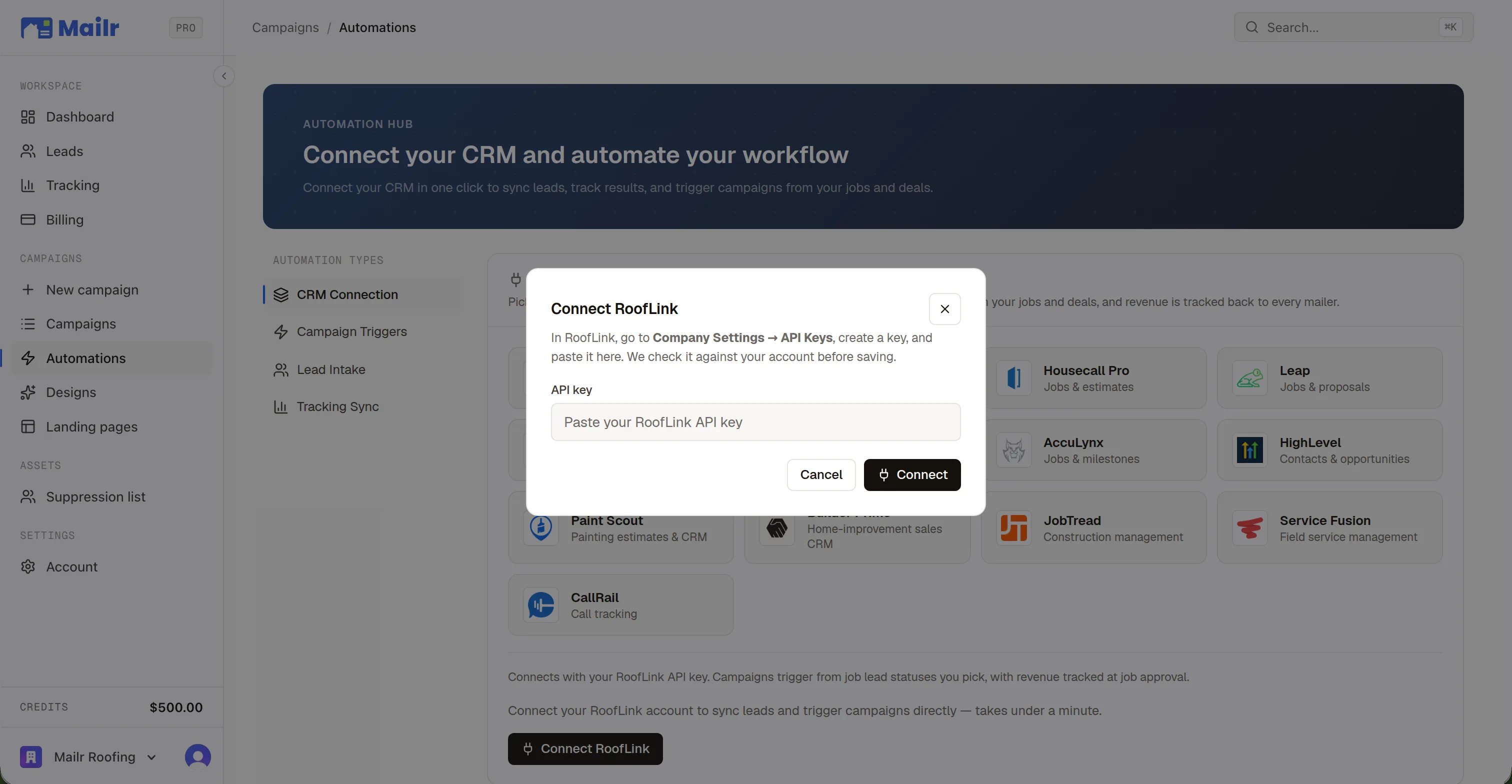
Connect
Paste an API key from RoofLink → Company Settings → API Keys — validated live against your account before it saves, so a typo can't half-connect.
02
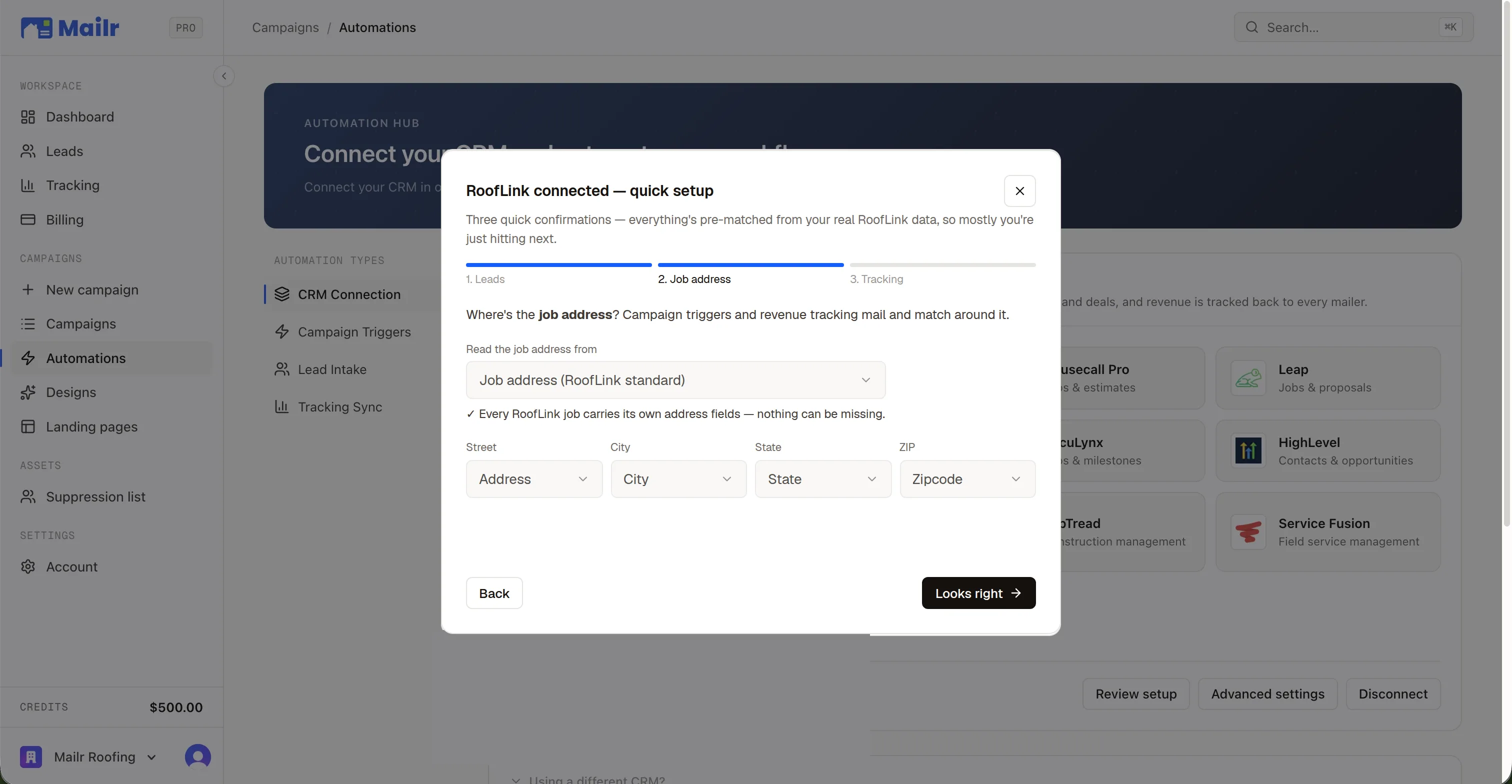
Confirm
A 3-step confirm-only wizard shows real field samples from your own RoofLink account — you see your actual data before anything runs.
03
Run
Reactivation, automations, and Auto Follow-Up are live immediately.
WHAT FLOWS BOTH WAYS
Deep, not decorative. Four things run on the connection.
Part of Mailr’s 63 native trigger events across 12 CRMs — with revenue synced back so the attribution dashboard can put a dollar figure on every campaign.
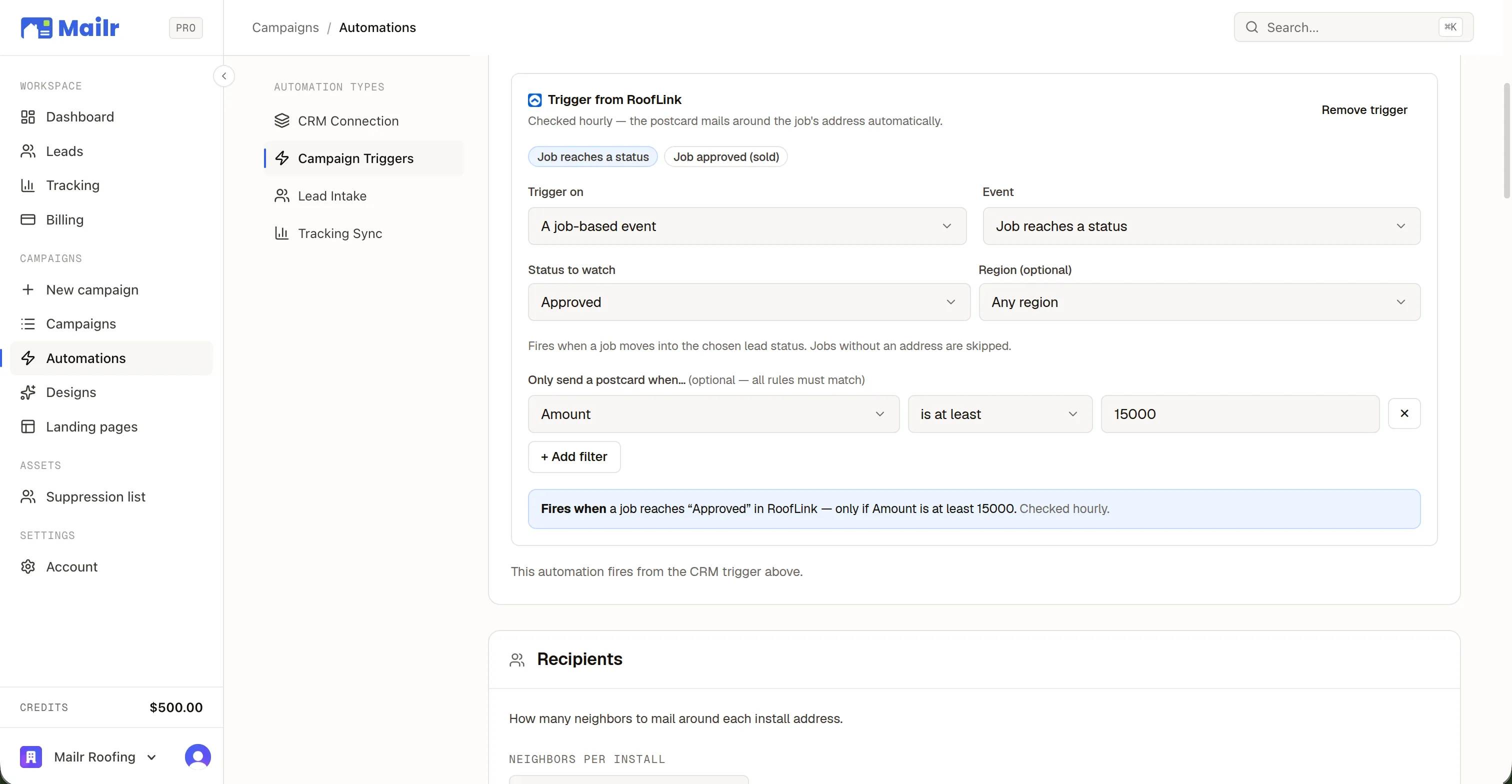
Fire mail off real RoofLink activity — 2 native events, each filtered by custom fields: “only approved jobs over $15k.”
Mailr imports your past jobs and customers from RoofLink — by lead status and region, or since a date — then mails the nearest neighbors of every one. The customers source remails your whole book, not just addresses with a finished job.
Landing-page leads are created as RoofLink jobs at capture time — the customer comes with it, your “Mailr” lead source attached, deduped by email. Every lead deep-links straight to the job in RoofLink.
The moment a job is approved in RoofLink, that customer is removed from future mailing audiences. You never pay to advertise to someone you already closed.
- HourlyRoofLink has no webhooks, so Mailr sweeps every hour
- Attribution window180 days, last touch: the most recent mail to that address gets the credit
- View in RoofLinkEvery lead and deal in Mailr links straight to its record
ROOFLINK TRIGGER EVENTS
Mail that fires itself off RoofLink activity.
RoofLink has no outbound webhooks, so Mailr sweeps your account every hour and fires anything new. Every event is deduped, so a re-sweep can never double-mail. Every event takes custom-field filters like “only approved jobs over $15k.”
+ custom-field filters on every event
QUESTIONS
The questions RoofLink shops ask.
- What do I need to connect RoofLink?
- An API key from RoofLink → Company Settings → API Keys. Mailr checks it against your account before saving, then a 3-step confirm wizard shows real field samples from your own jobs.
- Which job statuses can fire mail?
- Any of them — Mailr reads your status catalog and regions live, so “Job reaches Approved in the Denver region” is a dropdown. Add custom-field filters on top.
- What does Mailr write back into RoofLink?
- Captured leads, as jobs with your “Mailr” lead source. Everything else is read-only: jobs and statuses power triggers, Reactivation, and revenue attribution.
- How fast do triggers fire?
- RoofLink has no outbound webhooks, so Mailr sweeps your account every hour and fires anything new — deduped, so a re-sweep can never double-mail.
THE REST OF THE HAND
Not on RoofLink? Yours is here too.
 HubSpot
 Housecall Pro
 JobNimbus
 AccuLynx
 GoHighLevel
 Leap
Leap ProLine
 PaintScout
 Builder Prime
 JobTread
 Service Fusion
Their Home.
Your Work.
Connect your CRM, pick a neighborhood, and put a 1-of-1 card in every mailbox that matters. First campaign out the door in an afternoon.
No subscriptions · No minimum order size